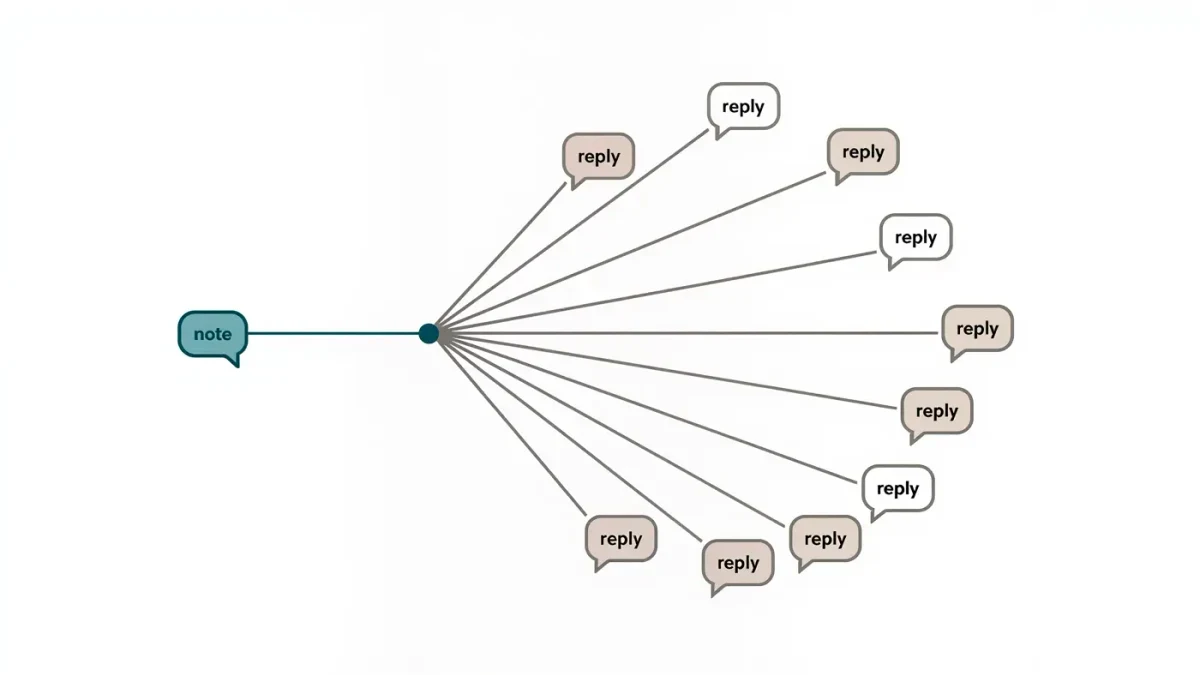
Notes are short text messages, up to 60 characters, that appear in a bubble above your inbox and disappear after 24 hours, per the help center as of July 2026. Anyone who can message you can see your note, and tapping it starts a regular DM. For creators, Notes work as a tiny broadcast channel: one line of text, visible where conversations already happen, with replies routed straight to the inbox.
Live Instagram is an independent publication covering documented behavior. Availability varies by account and region, and limits can change with app updates.
Where do Notes appear and who sees them?
The Notes row sits at the top of the direct messages screen — above the conversation list, below the search bar. Your note appears to people who follow you or have messaged you before, depending on your privacy settings, per the help center as of July 2026. Notes from people you follow appear in the same row.
Visibility follows your messaging settings rather than a separate audience picker. If your DMs are open, your note's reach is effectively that open; if requests are restricted, the note still shows but new replies land in the requests folder. There is no Close Friends-style audience for Notes.
How do you post a Note?
Posting takes three taps:
- Open your DM screen and tap Your note in the Notes row.
- Type up to 60 characters of text, or leave it blank to share a short looping music clip where available.
- Tap Share — the bubble sits above the inbox for 24 hours.
Per the help center as of July 2026, a note can be deleted early by tapping it and choosing to delete, and posting a new note replaces the old one. There is no editing — replacement is the mechanism.
Why do Notes suit creator communication?
Four properties make Notes a distinct channel, all mechanical rather than speculative:
| Property | Effect |
|---|---|
| Lives in the inbox | Seen by people already inclined to converse |
| 60-character limit | One idea per note, no caption craft needed |
| 24-hour life | Urgency without permanence on the profile |
| Replies are DMs | Every response lands in a private thread you control |
Compare the adjacent formats: a story is public and polished, a broadcast channel is opt-in and periodic, a post is permanent. A Note is none of those — it's a status line for the conversational layer. That's why it works for prompts rather than announcements.
What should creators put in a Note?
Practice patterns that fit the format's constraints:
- A question — a prompt the audience can answer in one line.
- A same-day pointer — a hint that something drops this evening.
- An availability note — a reminder that Q&A replies are happening today.
- A human line — a mood, a confession, a small joke that wouldn't survive polish.
The uniting rule: notes invite a reply, they don't carry information that must be remembered. Anything requiring reference or permanence belongs in a post, a Highlight, or a broadcast channel instead.
How do Notes compare with broadcast channels?
The two are often confused and serve different jobs. Per the help center as of July 2026, broadcast channels are one-to-many message streams that followers join and receive as messages, with creator controls and interaction options. Notes are a single line with a one-day life.
Choose a Note when the goal is starting conversations today. Choose a broadcast channel when the goal is recurring updates people deliberately subscribe to. A creator running both uses the channel for substance and Notes for pulse — the difference between a newsletter and a knock on the door.
What are the etiquette and moderation realities?
Notes inherit the platform's rules and reporting flows; offensive notes can be reported like any message. Because notes sit in a semi-public row, avoid anything you wouldn't say in front of your whole audience — the visibility of the row is easy to forget. Replies arrive as DMs, so a note that goes viral in your community means a busy inbox; pair opinionated notes with the message-request filters described elsewhere on this site.
Timing also matters. A note posted at your audience's active hour earns replies while it's alive; the 24-hour window means there is no long tail. Posting a note right before sleep wastes most of its life.
How often should a creator post Notes?
There is no documented cadence recommendation, so treat this as practice. Notes are cheap enough to use daily and visible enough to annoy daily. A rhythm that holds up: one note on days when you genuinely have something to ask or signal, none on quiet days. The format's scarcity is part of its signal — a note every few days gets read; a note every few hours becomes wallpaper.
Watch your own replies for the first two weeks. The prompts that earn answers tell you what your audience wants to be asked, which is knowledge worth more than the notes themselves.
Where do Notes fit in a creator's channel mix?
A working creator runs several layers, and each has a distinct job. Posts and Reels carry the public portfolio. Stories carry the daily narrative. Broadcast channels carry recurring updates for people who opted in. The inbox carries individual relationships. Notes sit between the last two: a broadcast-shaped signal that resolves into inbox conversations.
That position explains when Notes outperform the alternatives. Announcing a spontaneous live session in ten minutes is a Note, not a scheduled post. Asking what to cover in this week's video is a Note, because the answers arrive as threads you can actually manage. A Notes prompt converts ambient followers into correspondents — people who have now messaged you once and will find it easier to message you again.
The mix also imposes a discipline: nothing important should live only in a Note. Twenty-four hours after posting, the note is gone and so is whatever it said. Treat every note as ephemeral by design, and move anything with lasting value into a permanent format before the day ends.
What should creators watch out for?
Three cautions complete the picture. Availability: Notes rolled out gradually and some account configurations or regions see features later than others, so if the option is missing, app version and region are the first checks. Context collapse: a note written for close followers may be read by anyone who can message you, including clients and press — write every note as if the whole audience sees it, because functionally they can. Silence: a note that earns no replies for weeks is a signal too, and worth heeding before investing in heavier conversational formats.
Used with those limits in mind, Notes are the cheapest experiment in the creator toolkit. Sixty characters, one day, no production cost. If a creator cannot make that format work, the lesson arrived quickly and free — which is exactly what a lightweight channel is for.