If your Instagram account is compromised, the documented path is the dedicated recovery flow at instagram.com/hacked, which walks you through the steps: secure your email first, request a login link or security code, verify identity — commonly via a video selfie — and reset credentials. Per the help center as of June 2026, recovery works best when you act quickly and from a device you've previously logged in with.
Live Instagram is an independent publication, not affiliated with Instagram or Meta, and this guide summarizes official documentation rather than offering account support. Identity requirements and wait times can change.
What should you do in the first hour?
Speed matters more than thoroughness in the first hour. The documented sequence:
- Secure the email account connected to Instagram — change its password first, because everything else routes through email.
- Visit instagram.com/hacked on a device you've used to log in before.
- Choose the option that matches your situation, such as a changed password or lost access.
- Follow the prompts to receive a login link or security code by email or SMS.
- Regain access, then immediately change the Instagram password.
Per the help center as of June 2026, familiar devices improve the chances of a smooth identity check, because the platform weighs login history when evaluating recovery requests.
What is the video selfie verification?
When an account has photos of a person, Instagram's documented verification method is a short video selfie — turning your head in different directions on camera, captured through the official flow. Per the help center as of June 2026, the video is compared against photos on the account to confirm you are the original owner. The process is automated, and it can take time — hours to days — before access returns.
Two cautions from the documentation itself: complete the video in one session in good lighting, and never send identity documents or videos to anyone claiming to be support elsewhere. All verification happens inside the official flow, never through direct messages or email attachments.
How do you recover access to a changed email or phone number?
Hackers typically swap the recovery contact first. The fix lives in account settings once you're back in, and in a checkable order:
- After regaining access, open Settings, then Account Center, then Personal information.
- Remove the attacker's email addresses and phone numbers.
- Re-add your own contacts and confirm them.
- Review Login activity under Password and security for unrecognized sessions, and log them out.
- Check connected third-party apps under the same security menu and revoke anything unfamiliar.
Per the help center as of June 2026, reviewing login activity and authorized applications after recovery is part of the documented re-securing checklist, not an optional extra.
Why do accounts get taken over, and what are the signals?
Most takeovers documented by consumer-protection agencies start with phishing: a fake login page reached through a link in a message about a brand deal, a copyright strike, or a verification offer. The US Federal Trade Commission's consumer guidance on phishing advises never clicking links in unexpected messages and going to the site directly instead. Once credentials are entered on a fake page, the attacker changes the password and recovery contacts within minutes.
Early signals worth acting on: a login alert from an unfamiliar location, the password suddenly failing, or followers reporting strange DMs and posts from your account. Any one of them justifies starting the recovery flow immediately rather than waiting for more evidence.
How do you prevent the next incident?
The post-recovery hardening that the help center and security best practice converge on:
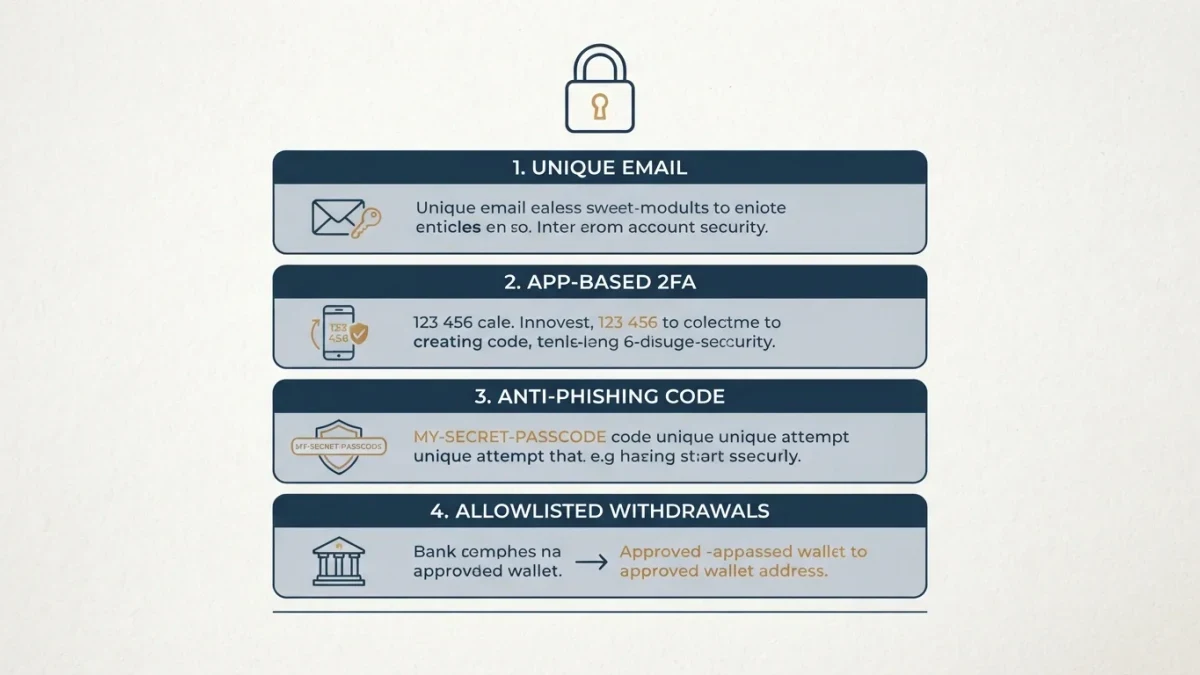
- Turn on two-factor authentication, preferring an authenticator app over SMS where possible, per the help center as of June 2026.
- Use a unique password stored in a password manager.
- Revoke unused third-party applications that hold account access.
- Treat every brand-deal or copyright message as unverified until checked outside the message.
- Keep the recovery email and phone current — stale contacts sink recovery attempts.
Two-factor authentication is the single highest-leverage change. It converts a stolen password into a stalled login attempt, which is the outcome every other measure is trying to reach.
What if recovery fails or the account is deleted?
If the automated flow stalls, the documented escalation is the platform's support request inside the Help Center, with identity information submitted through official forms. Timing matters: an account deleted by an attacker is harder to recover after the deletion window passes, so submit the request promptly. There is no legitimate paid service that can force a recovery, and third-party recovery brokers are themselves a documented fraud category — a claim consistent with consumer-protection warnings about recovery scams.
While you wait, secure the rest of your footprint: the same password reused elsewhere, connected Facebook pages, and any linked payment methods. Account takeover is rarely an isolated event when credentials are shared across services.
What does recovery mean for a professional account?
For creator and business accounts, the stakes include monetization status, commerce catalogs and audience trust. After recovery, per the help center as of June 2026, check professional settings: payment information, monetization status, and any unauthorized role assignments such as a stranger added as an admin on a connected page. A public note to followers about what happened — posted once access is certain — closes the loop with the audience and reduces damage from messages sent by the attacker.
How do you protect a business or creator team account?
Accounts managed by several people have a second attack surface: roles. Business logins through Meta Business Suite grant access by role — admin, editor, advertiser — and a compromised team member's account can unlock everything. Per the help center as of June 2026, role assignments are managed in Business Suite settings, and reviewing them is part of securing the whole asset, not just the Instagram login.
Team hygiene that prevents most incidents: grant the narrowest role that lets each person work, require two-factor authentication on every account with access, remove former collaborators promptly, and keep the number of full admins as small as possible. Most team-account takeovers trace back to an over-privileged login that nobody removed.
For solo creators, the same principle applies to third-party tools. Every scheduling or analytics app you authorize keeps a token. An annual audit — revoke everything, re-authorize only what you still use — closes doors you forgot you opened.
What should you tell your audience during and after an incident?
Communication is part of recovery, not an afterthought. While locked out, you may have no channel — which is why creators keep a secondary presence, however small, on another platform or an email list. A single line from your backup channel — account compromised, working on recovery, ignore any DMs from it — prevents followers from falling for whatever the attacker sends.
Once back in, post a brief factual note: what happened, that access is restored, and what to do if they interacted with the attacker's messages. No detail is needed about methods; the point is closing the trust gap. Followers who received scam links from your account deserve to know those links were not yours.
Then resume normal posting quickly. An account that returns and goes quiet reads as still compromised. The documented recovery steps secure the account; visible, ordinary activity is what reassures the audience.