A live shopping event is a scheduled livestream in which a host presents products on camera while viewers ask questions and buy in real time. On Instagram this format — tagging products during a live video — was retired in some markets: the company announced it was shutting down live shopping in the United States, with the change taking effect in 2024, per the help center as of that period. As of July 2026, availability varies by region and feature sets continue to change, so verify what your account offers before planning an event around it.
This article explains how the format works where it is available, what changed in markets that lost it, and the alternatives sellers use now. LIVE INSTAGRAM is an independent publication, not affiliated with Instagram or Meta, and live commerce features are exactly the kind of surface that shifts between years — treat specifics here as a map of the terrain, not a schedule of trains.
What happens in a live shopping event?
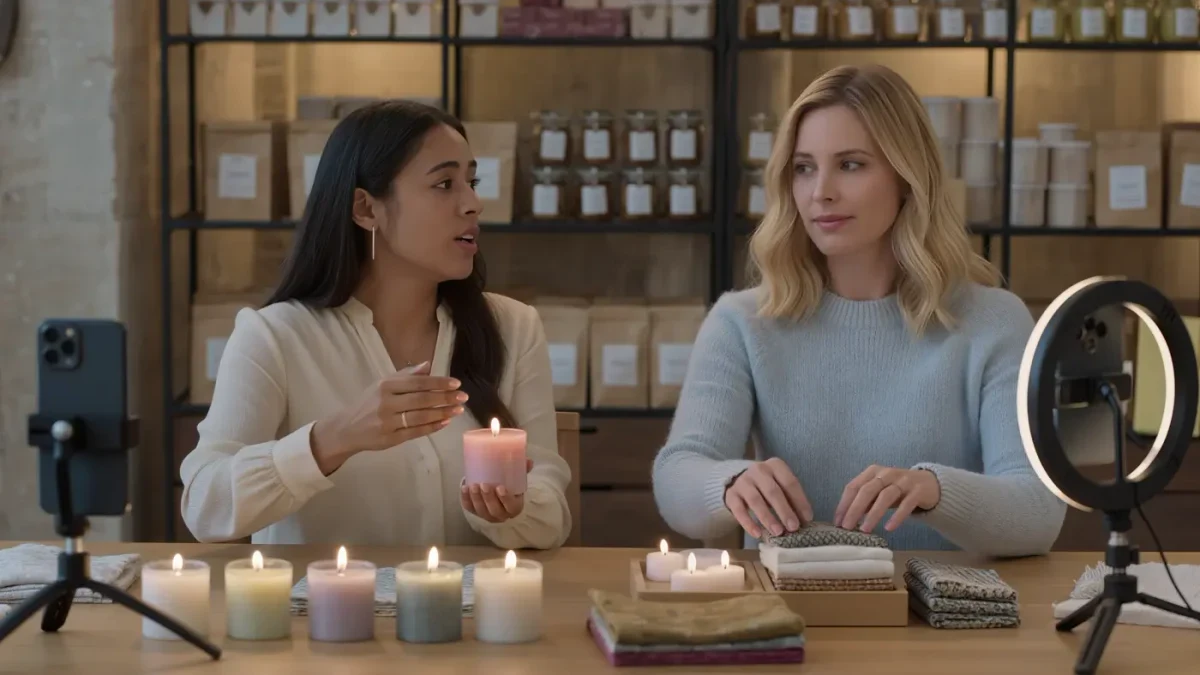
The mechanics are the same wherever the format exists: a scheduled live video, a host demonstrating products, a pinned product listing or tag layer, and a chat where viewers ask in real time. The selling power comes from liveness — stock counts, sizing questions, and hesitation are all handled on the spot, and each answered question is answered for every viewer watching. It is closer to a market stall than to a product page.
The standard anatomy of an event:
- Announcement: a scheduled time promoted in Stories and posts beforehand.
- Opening: the host sets the agenda and the offer structure for the session.
- Segmented demos: one product at a time, with questions taken live.
- Product access: tagged items, a pinned link, or directions to a shop, as available to you.
- Close: a recap of what remains and where to buy after the stream ends.
Where native product tagging in lives exists, purchases happen inside the app. Where it does not, sellers route demand — a link in bio, a pinned comment, a named product page — and the event works nearly the same, with one extra step for the buyer.
What changed with live shopping in some markets?
Instagram's live shopping feature — the ability for viewers to browse and buy tagged products during a live — was discontinued in the United States in 2024, according to the company's announcement and help center guidance from that period. Live video itself continued; what went away was the integrated checkout layer on top of it. The company framed such shifts as consolidating shopping experiences, and the direction of commerce features has kept moving since.
What that means practically for sellers:
- Live video remains available and useful for selling as attention, not checkout.
- Native in-live purchasing exists in some regions and not others; availability varies by region.
- Planning should assume features can change, and build a route to purchase that survives a missing tag layer.
The sellers who lost least when features were retired were those whose live events never depended entirely on in-app checkout — they had a link, a shop, and a habit of directing viewers there regardless. That resilience is now the baseline design principle for live selling on any platform.
How do you run a live selling event now?
Whether or not native tagging is available to your account, the production pattern is the same, because the hard parts — pace, questions, and energy — do not depend on checkout plumbing. The event is a show with a shopping list; run it like a broadcast, not like a listing.
A production checklist that holds up in any region:
- Pick one theme or collection — not the whole catalog — and a fixed runtime.
- Schedule and announce it at least a week out, with reminders in Stories.
- Rehearse the running order and prepare one demo moment per product.
- Have a second person on chat if possible, answering sizing and stock questions.
- State the buying route out loud, repeatedly: where the link lives, what to search.
- Publish the replay and clip the best segments into short Reels afterward.
The replay is not an afterthought. For most sellers it outperforms the live itself over time, because the audience for a small account is mostly asleep or at work during any given hour — and the clipped demo segments carry the event's energy into feeds for weeks.
What do you need technically and procedurally?
The barrier to entry is lower than most sellers expect. A phone on a tripod, decent light, a clean microphone distance, and a stable connection cover the technical floor; the differences that matter are preparation and moderation. Per the help center as of July 2026, going live requires an eligible account and may involve tools for moderation and guest invitations, with specifics varying by account type and region.
What separates watchable from unwatchable:
| Element | Minimum | Better |
|---|---|---|
| Video | Phone on tripod, face lit | Product close-ups via a second angle or camera move |
| Audio | Quiet room, phone mic | Lavalier or handheld mic near the host |
| Chat | Host reads comments between demos | A moderator answers in real time and feeds questions |
| Buying route | Link mentioned verbally | Pinned comment, on-screen note, and bio link, restated often |
One procedural note: if the event involves products a brand gave you or pays you to feature, the same disclosure expectations that apply to posts apply to the livestream — say the relationship out loud early, and use the platform's paid-partnership tools where the arrangement qualifies.
Is live selling worth it for small accounts?
Honestly, it depends on temperament. Live events reward sellers who enjoy the format and can carry twenty to sixty minutes of conversation, and they punish those who treat them as a chore to be endured for sales that rarely arrive the first time. The compounding case is real — regular events train an audience to show up, and the clip library feeds everything else — but it is a slow compounding.
A reasonable way to test the format:
- Commit to a short series of three events, not one heroic hour.
- Keep each to a single collection and a fixed, modest runtime.
- Track questions asked, purchases in the following 48 hours, and replay views.
- Decide the format's future on the series, not on the first stream's numbers.
If the answer after three honest attempts is no, the clipped-demo Reel remains: it is a live event's most durable artifact, and it works even for sellers who never go live at all.